


-0.jpeg?w=1920&h=750)
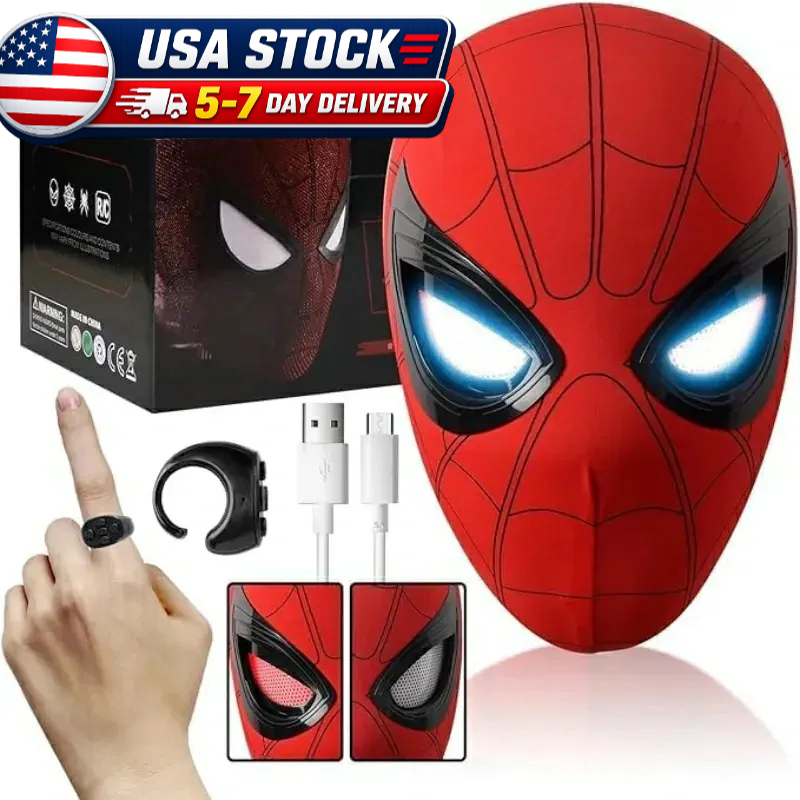
Bring the Spider-Verse to life with ETTBOX's official guide to operating your Spider-Man masks. Explore setup, controls, and care tips tailored to each unique design.
Remote-Controlled Spider-Man Masks
Included Models:
Classic Spider-Man, Amazing Spider-Man, Miles Morales, Iron Spider (all feature remote control)
Package Contents:
- Spider-Man mask
- Remote control
- Charging cable
Setup & Operation:
- Charging:
- Remote: 15-minute initial charge
- Mask: 30-minute initial charge
- Power On:
Activate via the internal power switch (located between the eyes). - Pairing:
Press the center remote button to sync with the mask. - Ready:
Use the remote to activate mask features effortlessly.
Pro Tips:
✔️ Fully charge both devices before use for maximum runtime.
✔️ Re-press the center button if unresponsive.
Chin-Activated Spider-Man Mask
Included Model:
Chin-Controlled Spider-Man Mask
How It Works:
- Eye Movement: Raise/lower your chin while wearing to trigger realistic eye animations.
Pro Tips:
✔️ Practice gradual chin motions for smoother control.
✔️ Avoid jerky movements to protect the mechanism.
Touch-Sensitive Gwen Stacy Mask/Miles Game Version Mask
Included Model:
Gwen Stacy Mask (Touch Control)
Setup & Operation:
- Charging:
30-minute charge required (no remote included). - Power On:
Switch on via the internal power button (same location as other masks). - Touch Controls:
Tap your forehead lightly to toggle eye lights.
Pro Tips:
✔️ Ensure a snug fit for reliable touch sensitivity.
✔️ Store in dry conditions to maintain sensor performance.
General Care & Maintenance
- Cleaning:
Wipe exterior gently with a damp cloth. Avoid chemicals. - Storage:
Use a padded case to prevent scratches. - Battery Care:
Unplug chargers immediately after full charge to preserve battery health.
ETTBOX masks are engineered to deliver immersive, character-accurate experiences. Need help? Contact our support team for expert assistance!



1 comentario